TikTok
Avg · last 24 videos · 30d span
Free media kits · Built by OwlScran
OwlScran turns your TikTok stats and videos into a free media kit. Connect your account, review the content and choose what each brand sees.
Connect your own TikTok account through TikTok sign-in.
Cheap, cheerful dinners from a tiny Manchester kitchen. Feeding two for under £5 a night.
Fictional creator example. Explore featured work, audience statistics and illustrative rates in the interactive kit.
Your TikTok account
Your kit brings together your follower count and available video views, likes, comments and shares. OwlScran calculates engagement from the interactions and views, with the calculation available to inspect.
The TikTok connection imports performance data. Audience demographics are creator-provided where that feature is available, with their source shown separately.
An initial selection of eligible videos is added automatically. You can choose different highlighted videos and add campaign case studies and rates.
Show a video that fits the brief alongside its views and interactions. Audience location and sales need their own supporting data.
See how OwlScran calculates engagementWhat’s in it
Some free media kit generators give you a template to type your stats into, then a PDF to download. OwlScran reads the figures from your connected TikTok account instead, so a brand sees figures that came from the platform. Any audience details you add yourself are labelled. You share the kit as a link. There is no PDF download. See how the main media kit generators compare.
Want to see one first? Browse our example media kits or check the layout against our media kit template.
TikTok
TikTok shares your follower count and, for each recent video, its views, likes, comments and shares. Shares count towards your engagement rate, and the ⓘ beside it shows the working.
TikTok does not share audience demographics with apps like OwlScran. Where the feature is available, you can add them yourself: open TikTok Studio from your profile menu, go to Analytics, then Followers, and screenshot the Gender, Age and Locations tabs. Upload them and OwlScran reads the figures for you to check before saving. You can type them in instead.
How it works
Authorise your own account through TikTok. Once your available data has been imported, OwlScran puts it into your media kit.
Your available stats are filled in automatically. You can set your name, photo and bio, choose highlighted videos, and add case studies and rates.
Select the stats, videos and rates to include each time you create a share link for a brand.
Free media kits
Connect your socials and OwlScran brings in your stats and content automatically. Choose what to share, then send your kit to a brand.
One kit
You can connect Instagram, TikTok, YouTube and Facebook in the same free media kit. Each platform keeps its own stats, so a brand can see where the figures come from.
Link in bio
Your media kit is for brands. Your link in bio is for everyone who taps your profile. The same free OwlScran account gives you a public page with up to 50 sections of links, a featured link and, if you want it, your follower count across your connected accounts.
Create your free link in bioQuestions
Yes. OwlScran offers free media kits. Connect TikTok, review your imported stats and content, and choose what to include when you share.
Your engagement rate and averages use up to 20 recent videos posted at least seven days ago. You choose which videos to highlight for a brand.
No. The TikTok connection supplies performance data, not an automatic age, gender or location breakdown for your media kit.
TikTok shares views for each video but not reach, so OwlScran shows engagement by views. Instagram and Facebook kits can also show engagement by reach.
Your account data refreshes in the background, but a shared link contains a saved snapshot. Links currently expire after seven days. Create a new link to send newer figures.
Share your rates within your media kit by link. PDF export is not available.
Updated · OwlScran
Fictional creator
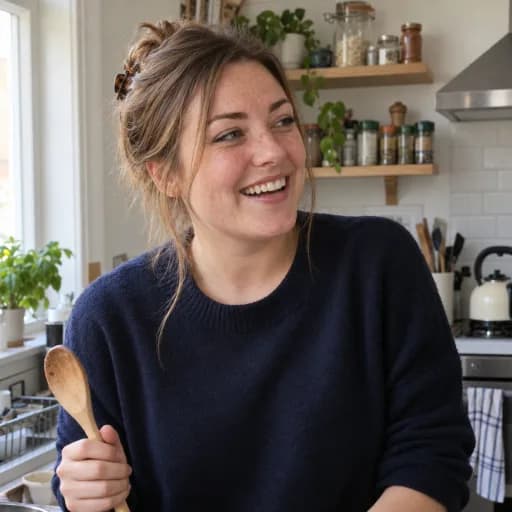
Cheap, cheerful dinners from a tiny Manchester kitchen. Feeding two for under £5 a night.
Total followers
Avg · last 24 videos · 30d span
Illustrative prices, not recommended rates.